


Getting started with Trace is as easy as 1..2..3..Here’s how it works:
Step 1: Download Trace’s Chrome Extension and begin capturing your processes.

Step 2: Review and customize your captures by adding headers, texts, quotes and other elements.

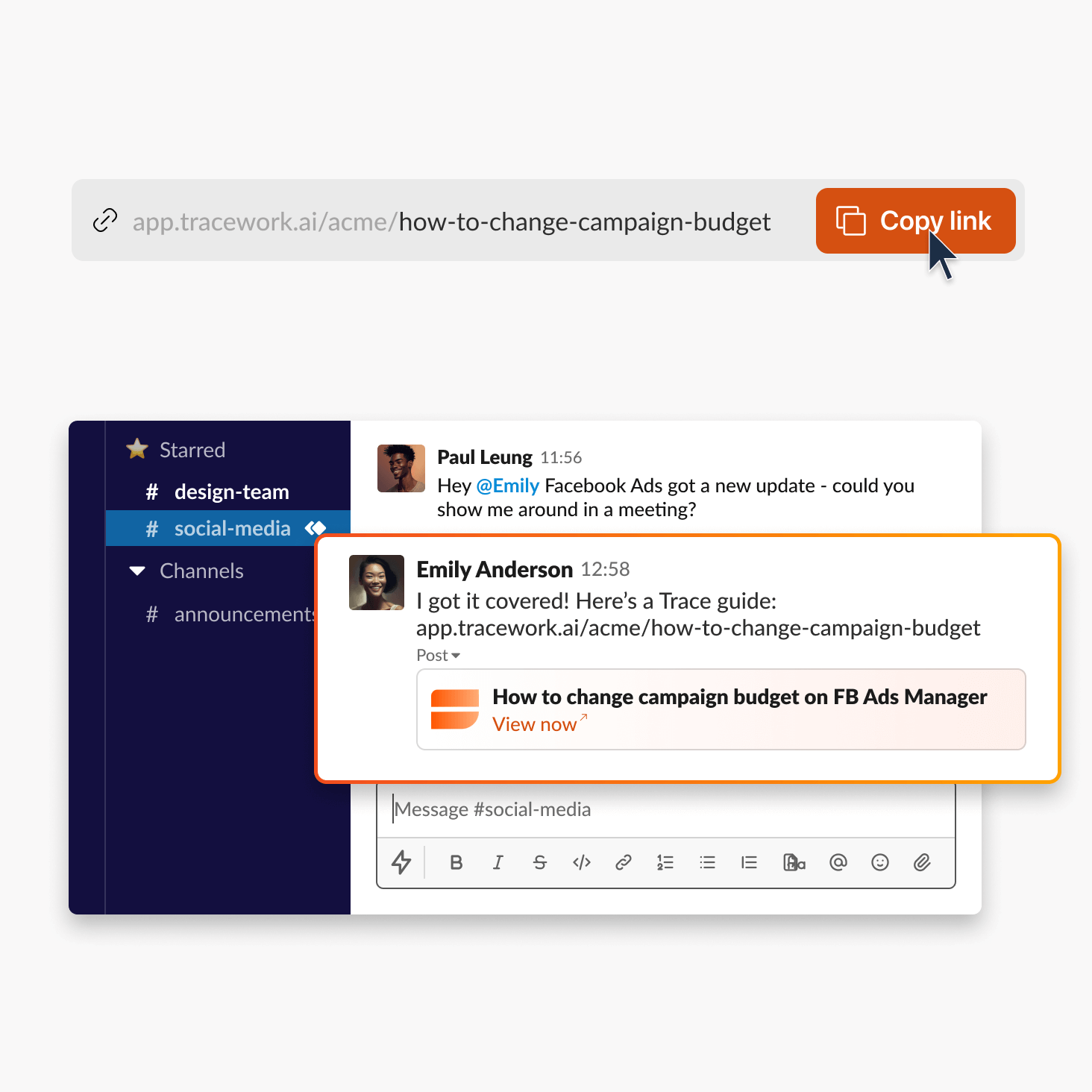
Step 3: Share your guides with customers and teammates via a link or embed in tools like Notion.
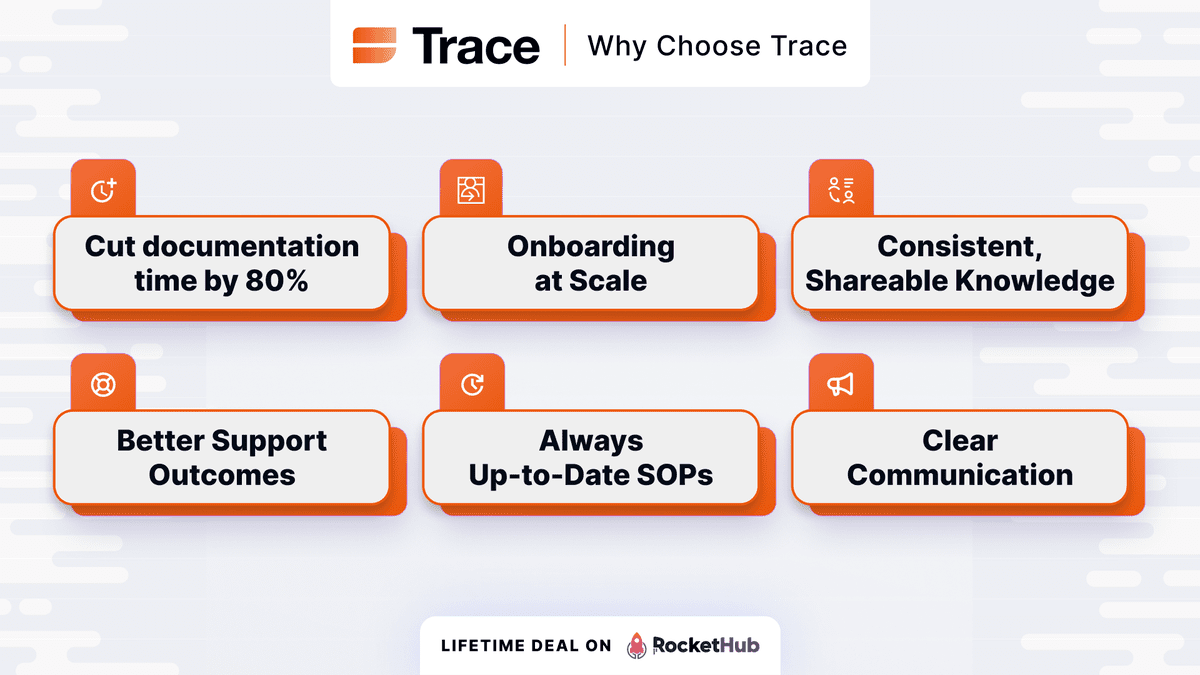
Here are a few reasons to choose Trace:

Let’s tap into the versatility of Trace. From demos, customer support docs, sales collateral, customer retention training, and employee SOPs, Trace can be used across all departments and industries. Here are just a few popular use cases:
Get lifetime access to Trace today!


07 Customer(s) recommended this item

I wasted my time creating a workflow not just once, but twice, and it still didn’t generate. It didn’t record, and it shows 0 steps and 0 seconds. I’m frustrated! I also discovered that when you create a workflow inside a folder by hitting “Capture New Flow,” it doesn’t create a workflow. So the bug seems to be related to folders. Plus, the folder feature is unstable and laggy. I understand this is a new feature, and I hope it improves soon.
Another thing that annoys me is the “Trace” logo, which you can’t remove even after trying to disable it in Global Customization. Also, the annotations inside the flow have limited customization—no font options or card styles. You can’t add much text either, because it turns into a scrollable annotation and you can’t adjust the font.
This isn’t usable for sharing with clients since it has the Trace logo. I hope they pay attention to these small details. I use Floik, Fable, and Layerpath, and I wanted to switch to this platform because of the permission-based folder system, but it’s still not stable, so I’ll wait until it’s ready.
———————
Update: Same issue again. This time it’s much worse, as my flow is longer and I’ve invested a lot of time in it. It’s frustrating!
——
Update: I’ve found a workaround. I only get reliable workflow results in the Home folder (the default). When you’re in any other folder, there are many failures.
Another issue: the “Share to anyone” link recently broke. It can’t be viewed by anyone, even when it isn’t restricted. I moved the item to different folders, including the default Home, but it’s still not viewable.
Lastly, the Custom Domain seems to work only for the root domain. I tried using docs.xyz.com as a CNAME, but it requires the primary website at the root level, which is strange because it would take over the redirection of my main website to Trace.
Change my review from 1 to 4, as they deserve it even though they still have a lot of bugs. Hopefully, they will fix them, but I’ve learned to love this app, and I have high hopes for it.


I’ve tried out other software but Tracework.ai has been my absolute favourite. It’s like a magic wand that automatically captures everything I do and turns it into super clean, easy-to-edit guides. No more taking a ton of screenshots or writing out steps by hand. The editing tools are a breeze, and sharing guides with a simple link or embed is a piece of cake. Honestly, it’s the easiest way I’ve found to create walkthroughs without all the hassle.
Hi Carson, thank you so much for joining Trace! Happy it’s helped you save time and that the embed has been convenient for you. Always here if you’ve questions!

I bought Tier 3 and already use Trace often. For helping customers, workshops, guidance for SaaS products, etc. I am very happy!
Unfortunately, it often happens that people put effort into recording, but in the end, no recording is created, only “1 step.” Once this is fixed, I will give 5 stars.
Additionally, improvements could be made:
– I come from Germany, unfortunately, umlauts are not captured when clicking (äöüß, etc.), so I have to manually insert them in every step. I look forward to an update.
– If you turn off the Capture indicator, at least a very thin red border around the window or something similar should be visible, so that you know recording is ongoing and you don’t do everything in vain.
– Through the browser plugin, one should be able to switch the workspace.
– When forwarding the link, the customer definitely should not receive an advertisement for a free Trace account
– When sharing the link, one should be able to choose whether the document view or the interactive view opens automatically
Overall: Unconditional purchase recommendation!!
Hi Hajo. Nick here – one of the cofounders. Thanks a ton for sharing about your experience. We’ll definitely look into the bug where on 1 step is created – will reach out to you via email separately.
RE: Capturing multi languages. It often depends on how the page labels it as HTML, we’ll work to accommodate more languages.
RE: Capture indicator via line at the bottom
That’s a great idea. At the moment we’re updating the chrome extension icon such then when you have the indicator turned off, you’ll still see the capture is live via the icon
RE: Switching workspace via browser.
Fantastic! I believe what could be more value-adding is choosing which teamspace and folder you want it to land into.
Currently, where you are in your dashboard will be where the guide is placed. But definitely it’s good to have the option to change it via the extension. Many thanks for this.
RE: Banner promo
Noted on this – it’s a bug and we’ll get it out of the way
RE: Choosing which view when sharing
That’s 100% in the pipeline, one of the most requested features. You’ll see it as soon as early Aug!
Finally, just want to give a huge thanks for the support. We’re always here and want to learn from users!
Best,
Nick

Hi,
I’m really enjoying the product so far – it’s been great! I’ve created my first demo guide, but I’ve run into a few issues:
1. When exporting to PDF, the branding appears at the bottom of each page. Is there a way to remove this?
2. Some pages display raw HTML elements like and , which makes the content harder to read. For example:
To see & add customers.Hover on “Customers”
3. When exporting in 1080p for video, the output quality seems quite blurry. Is there a way to export in higher resolution to improve clarity?
Appreciate your help!
Hi Majid! Thanks for using Trace, welcome! Nick here – one of the cofounders.
RE: Removing brand logo.
You’ll be able to remove it by mid next week, and if you’re on our paid plans.
RE: Capturing hover states
We understand this. It is possible to click on it so that a step is captured, and you can move the tooltip while editing. I’ll drop you an email and we can have a call so I understand your use case better!
RE: Video quality
1080p is the highest possible at the moment. We’ll look into our exporting functions so that elements are clearer while still in 1080p. Many thanks for the feedback.
Let me know if you’ve further questions
Best, Nick

I’ve tried a lot of screen capture and recording software and the part that I hate the most is the editing after the recording. Lots of screen capture plugins will detect the clicks and create individual focus points based on clicks and other events, but then you have a 50 scene document that you need to go through and add some additional text. That’s where the slowdown happens. Trace helps close the gap and makes running through the screens and editing the callouts much faster, especially if you aren’t doing voiceovers and need to clarify the intent of the callouts. There are still some areas to improve that can make it faster, but so far this is a great experience. The co founder is also super responsive and listens to feedback.

This is not the first tool I have bought that does this kind of thing (doc guide creation) but it could be the last. The feature set is already worthy of the price and the roadmap has a lot of really exciting features planned (desktop recording, custom domains, auto zooming, HTML capture, export as HTML, export as Markdown, auto blurring… yes please to all!) Frankly it’s a way better roadmap than other tools I already own so despite owning other guide tools I took the plunge. After using it for a day I’ve turned off the other chrome plugins as those other tools weren’t as good, nor developing such robust features the way Trace is (I hope they deliver them soon!)
Here’s my take of pros and cons:
Pros:
1) Great features. The product does what it says. Capture is easy and editing is pretty easy too. Even more advanced features (like branching) are available which is something I hadn’t seen in several other products I’ve tried (and some I own). Sharing is easy, embedding is available, and it supports, video, interactive experiences, and PDF (with HTML and MD to come) making this extremely versatile.
2) Fantastic outreach. I got an email from the founders just after I made the purchase. There were some issues with the code verification and they personally worked to get it resolved right away. They were kind, courteous, responsive; and most importantly, they solved the issue right away.
3) Fantastic roadmap. Yes, I know it’s always a bet to buy something for features that aren’t there yet but the team is clearly thinking big and I can’t wait for the features to come as they will really make this even more amazing.
Cons:
1) There is (ironically) not guides for most of what you want to do. Some things are un intuitive: why can I only edit in one of the interactive view?, why is the default to have the recording indicator on the page and showing up in the guide shots? Why does it record ending the recording as a guide step? Luckily, using the tool to make a few first guides helps you figure these things out (like needing to click the check mark to apply the blur area vs just selecting the area) but once you figure them out, the tool works very well.
2) Exported content (e.g. PDFs) have Trace branding on them and there doesn’t seem to be a way to remove it. Perhaps this will be an option in the future but at the moment it seems to always be there.
All in all, this is a great product and I’m glad to be supporting the developers at this stage of the product. The current product is more robust than other tools I have and the roadmap has me really excited about what it will be able to do in the future.
[PS Line break formatting not working well on RH] Thank you so much for the kind words Adam. It’s extremely heartwarming that our outreach is recognised, we do our best to be quick and consistent with it!
Happy that the features are serving you will, and yes we’re all hands on executing the product roadmap
Shall just quickly address your comments:
🎥 RE: Default recording indicator
We did this to give assurance to new users that the capture is happening, so it’s by design. For seasoned users, they’ll get the hang of it and turn it off
🔸 RE: Removing Trace branding from PDFs
The option to remove Trace branding will go live on Wed/Thu!
Thank you once again for your support, we’re a learning a ton in the process and strive to deliver 🙂

Been seeing ads for similar tools, tried their free trial, but couldn’t get to purchasing such tools monthly.
Gave this Trace one a shot and it honestly matches up to others very well! Unlimited guides justifies the LTD right away. I run an agency so this is perfect for onboarding my clients, something I do repetitively
Personally like they’ve made their double view part of their UI. For many others, you can only see it after embedding it somewhere.
Overall, user experience is amazing, very responsive capture and easy edits like moving tooltips, blurring etc.
Appreciate the kind words Eve!
Only logged in customers who have purchased this product may leave a review.
Got a Question? Ask here.

What does the “dual view” mean?
^ Submitted to soon. Co-founder here, wanted to mention that “dual view” refers to interactive video view and document view (scrolling)

Hi Nicholas and April, just got two quick questions – hope they’re relevant here.
I saw unlimited teamspaces, vs 1 teamspace. What does this mean?
For the 5 custom domains in Tier 3, is it applied to each teamspace – so I can only have one teamspace attached to one custom domain?
Overall tried the free version and it’s very responsive. Suggest having more AI voices (male female etc)
Hello Kylie. Thanks for your questions.
Teamspaces:
Within a teamspace, you’re able to set viewer/editor roles for each member. Meaning you can have different department with varying levels of control for each member.
Tiers 2/3 are built for team collaboration, therefore come with unlimited teamspaces. While T1 is recommended for solo users who just need 1 teamspace to store their personal workflows.
Custom domains:
You can apply custom domains for each guide you share publicly, so it’s not tagged to a particular teamspace and is fluid.
Best,
Nick

This space is quite mature, with some feature-rich solutions already out there. Curious how you guys are different
Hi Eve, noticed you made a purchase before I could answer this!
Some unique features:
– Dual view (Interactive demo and doc formats)
– Conditional Branching
– AI Voiceover
– Video export format (& PDF)
Lastly, maybe not a feature, but we’re a team that takes customer suggestions and requests very seriously and move fast

Is it possible to simply get T2 but with 5 domains… or more than 1
Hi Youssef, thanks for your question. We’d recommend getting T3 in that case. In the future, for non Rockethub LTD members, each custom domain would be at add’l cost monthly.
So now you’re able to have the 5 custom domains with a one-time payment because of Rocket Week!
okay got it – thanks. purchase later this week

Can we record the video too? IF yes what’s the limit of the video duration? can we blur specific part inside the video?
Hi Yubaraj, many thanks for your questions
🎥 RE: Video recording
Hello Yubaraj, the video recording itself it not recorded. Though, you’re able to speak as you capture the guide, and Trace will transcribe and process your speech to the tooltip labels.
From there you can export the video. Here’s how an exported mp4 looks like https://vimeo.com/1100219030
It was converted from this original Trace guide
https://app.tracework.ai/share/69534a21-b61e-4489-b0f5-916c0a9d1936
(you can toggle to the Interactive View as well)
There is no limit on the capture. We’ve seen users create 200-step guides. However, keep it mind that some processing time is needed.
⬛ Blur/Redact
You can blur screenshots after capturing them. They will also appear as you export your video as .mp4
Let me know if you need further clarification!

What os subfolders for and mean?
What is custom domain for?
Anymore video demo.
Ai voices have chinese and malay too?
📁 RE: Subfolders
Subfolders are “folders within folders”. They help you organize your guides inside a workspace. Useful for grouping guides by client, team, or feature.
We’ve kept it to Tier 2/3 which is mapped to our Pro+ team plan, as it’s utilized by teams
🌐 RE: Custom domain
A custom domain lets you publish your guides under your own website URL
(e.g. `help.yourcompany.com` instead of `app.tracework.ai/yourguide`).
It gives your documentation a more professional, branded feel. It’s a feature unique to us compared to similar tools
RE: Demo
Here’s how it a video mp4 export looks like https://vimeo.com/1100219030
It was downloaded from this original Trace guide
https://app.tracework.ai/share/69534a21-b61e-4489-b0f5-916c0a9d1936
🗣️ RE: Multi-Language support
We will soon be supporting multi-language tooltips and voiceovers. It’s pretty high up in our pipeline, and has been requested from our existing customers.
Let me know if you’ve further questions

The video shows powered by Tracework, can you hide it when exporting?

Are other languages supported besides English? For example, for the viewer’s UI and for voiceovers? I am from Germany.
Will the upcoming desktop capture feature allow recording of any software?
Hello Hajo, thanks for asking!
🖥️ RE: Desktop capture
Yes the desktop capture will enable you to capture on any software, even outside of your browser. For example Excel, Powerpoint, Adobe Photoshop etc.
🗣️ RE: Languages
We will soon be supporting multi-language tooltips and voiceovers. It’s pretty high up in our pipeline, and has been requested from our existing customers.
Let me know if you’ve further questions

Hey, finally something worthy LTD. This will be great for onboarding process. I am having headache developing user manual after done with every projects :’)
I am planning to purchase this and share it with my team. As I am not sure how long I’ll be working with the team, there is possibility we’ll part ways. Is it possible to transfer ownerships of Team Spaces or Demos to other account?
RH edit not working zzz
2) Can I set on each Team Space their own custom domain, brand logo aside from permissions of team members?
3) Is there any analytics for the shared link? Number of views, duration of each view, etc.
Hello SoloDev – interesting name you got there!
You can have multiple custom domains under each workspace. For each guide or workflow, you can choose which domain it’s published under.
You can also set a default domain at the workspace level, so all workflows will follow that by default – unless you choose to override it.
P.S. Custom domains are expected to roll out between end-July and early
end-July / early Aug*

It says you have to download a Chrome extension first before using it. However, for organisations with strict security and requirements, downloading extensions may not be allowed. The use of certain browsers such as Chrome may also be forbidden. Are the other ways to use this without going through the above?
Hello Kreis! That’s a great question.
RE: Capturing beyond the chrome extension
We’re launching our desktop app soon, which enables users to capture processes outside of the browser, and without the need for a chrome extension.
Let me know if you’ve further questions!
Hi, is elevenlab voiceover covered in the plan?
Users = team members that can login and record a guide?
Hi Daren!
RE: Voiceover coverage
Yes at the moment ElevenLabs VO is covered by us, so you don’t have to bring your own key. Though in time to come, there will be VO limits of 30 min per creator per month, as we have to manage our cost as well. Each user typically uses 20min per month, so this is a safe buffer.
RE: Users
Yes the ‘users’ in the tier descriptions refer to paid seats that are able to capture unlimited workflows. Paid said can also access other premium features like branching steps, color customization, sharing a collection of flows.

Is there a recording time limit? I got Floik when it was on Rockethub a while back but the limit was 10 minutes per recording. Thanks 🙂
Hi Tom!
RE: Recording limit
There isn’t a recording limit. We’ve had users create a 200-step process guide before. Though keep in mind that it would take some time for the VO and steps to generate fully the longer the process captured is.

Is it possible to remove the “This how-to guide was created free with Trace in 45 seconds. Create your own guides today!” from all of the embedded workflows?
Hi Carson, thanks for our chat via call earlier! Removing the promo banner is in our pipeline – as we discussed about!

Hi,
I hope the custom domain feature allows me to assign domains to individual teamspaces.
This would enable better management of each team.
Additionally, the default teamspace seems to be visible to all team members; can I make it so they can’t see it?
Thank you.
Hello! Thanks for your question.
RE: Default teamspace
We’ve configured the workspace such that all members have to be in the default teamspace – this gives them clarity that they are part of the workspace, otherwise they would only see ‘my documents’. That being said, I understand where you’re coming from, especially client-facing needs. We’ll look into it and perhaps make it an optional toggle.
RE: Assigning domains to individual teamspaces.
We’re working on this!

Hello, after reviewing the roadmap and gaining a comprehensive understanding of the platform through the Facebook demo shared yesterday (thank you for that), I do not think this topic was covered or raised, but are the non-core product features on the roadmap included in the Pro Plus Plan?
Hey, thanks for watching the demo!
ALL non-core product features, like SSO, password-based sharing, etc will fully be available for Pro Plus plans!

Please allow us to remove Trace banner in publicly shared links. This is a deal breaker.
Hi Rupesh, many thanks for the feedback. We’re exploring on how we can make the branding more subtle. We’ve noticed that when end users can see where the guide was created from, it gives them an understanding that it’s a demo guide.

Can a subdomain be used as a custom domain?
Example: HowTo.MyDomain.com
Hey Augusto. Thanks for asking!
At the moment we have custom domains e.g. youragency.com
Custom SUB domains is the immediate next item in our pipeline, (e.g. howto.youragency.com). It’s estimate to roll out in mid Sept.
Let me know if you’ve further questions

Hi there!
I have been eying this off for a while, but the one factor that is making me hesitant is how it is currently displayed on mobile devices.
I had a look at your help articles on your website to see how they would display on my phone.
Within the interactive mode:
– The text dialogs are quite large and, when located toward the sides of the frame, they end up going off screen, so some text becomes unavailable.
– The dialogs also cover a good chunk of the screenshots, so you can’t really see what’s happening.
– The text font is too large for its container, requiring scrolling to view the remaining text (it took me a while to figure this out; off screen text still cannot be viewed).
Within the Document mode:
– The screenshots appear very narrow and therefore illegible.
For both views:
– The Interactive/Document toggle buttons cover the title
– The icons for two top-right buttons aren’t legible.
I’m uncertain if this is consistent for all mobile devices as I have only tested on one; however, it seems that this isn’t quite screen responsive.
I note that an improved mobile UI is planned within your roadmap. Will this resolve the issues I’m experiencing? Are there any new additions being incorporated?
Also, is it possible to embed the workflow as either an interactive or document view, without the option for the end-user to change?
Thank you 🙂
Hi Tai, thanks so much for your feedback and using Trace.
RE: Mobile UI
We’re completely aware of the formatting issues. We’ve yet to optimize mobile view as almost all our users tend to use Trace via desktop. That being said, the mobile view improvements in the roadmap will fix all these, as we’re getting more enquiries like yours.
We seek your patience as we roll it out and execute it properly!

Why is there no response to the negative review on the Reviews tab? Responding only to positive reviews is not a good look.
Hi Rodney, thanks for pointing this out – we’ve added our reply!

What is the format of the output? Video? PDF? If video, can we save it or export it to archive it?
Hi Helmi, thanks for the question.
The output is an interactive guide, here’s an example- https://app.tracework.ai/public/how-to-update-logo-on-xero__da83dc9d-7c88-4195-9859-59e96a943a44
The end user can view it as a interactive demo or in document format
If you wish, you can export it as mp4 video or a PDF under the ‘export’ tab!
Hi Helmi, the output is an interactive demo and scrollable guide – https://app.tracework.ai/share/da83dc9d-7c88-4195-9859-59e96a943a44
You’re able to export as MP4 and PDF under the ‘export’ tab as well!

Is polish language available?
Hi Sebastian
RE: Polish + other language support
You’re able to place any language in the text of your hotspot tooltips. The AI Voiceover reads out the text you inout, regardless of language.
You can see the bottom item: last Trace guide here: https://www.tracework.ai/showcase

Hi, Manuel
First off, really sorry you ran into this. I can imagine how frustrating it must feel to put in the effort to create a workflow -twice – and have it not generate properly. Thank you for taking the time to detail where things went wrong (especially around folders, recording, and customization). Feedback like this really helps us pinpoint issues faster.
RE: Workflow captures
We noticed that Arc (being a deprecated tool), among other browsers, don’t run very well with Trace. It’d be great if you could share the browser and computer you’re using. Our team is already working on fixes so that recordings generate reliably, whether they’re inside folders or not.
RE: Folders
You mentioned “So the bug seems to be related to folders”, in relation to workflows. Do share in more detail! In terms of lagginess, our servers are in the US and Singapore – we’re working on creating more so that it’s faster for everyone.
RE: Logo
For completely removing the Trace logo, we’re still exploring how best to incorporate that into our plans. At the moment, you can remove Trace branding from MP4 and PDF exports, as well as remove the banner – features that free users don’t have access to.
RE: Editing tools
Expanding annotation controls so they’re more flexible for client-facing use is a top priority, especially font options and having more room for text – that’s an immediately doable item for us. Many thanks for the feedback!
We don’t take your experience lightly, and we’re committed to earning back your trust. If you’re open, I’d love to connect directly so we can share updates with you as soon as they roll out. Happy to troubleshoot the capture issues you’re facing. My contact is [email protected] – let’s jump on a call!
Thanks again for being candid – it really does help us build Trace into the stable, client-ready platform you’re looking for.