
TinyCommand

All-in-one platform to automate your workflows

TinyCommand Main

Do you use Typeform, Airtable, Zapier/Make, or ChatGPT / N8N agents? Want to get more done without juggling and paying for five or more tools?

Got a lead form? Route every submission, update your CRM, and send the first email automatically.

Running support? Collect issues, let AI answer common questions, and escalate others.

Onboarding new clients? Gather details, store data, trigger tasks, and track progress from day one.

Hosting events or webinars? Sync registrations to your CRM, send reminders, and automate follow-ups.

Need approvals? Route requests, notify owners, and log decisions without the back-and-forth.

Collecting feedback? NPS and CSAT forms flag unhappy users and create follow-ups right away.

The possibilities are endless because TinyCommand keeps work moving.

Key Features

TinyForms

Capture data with beautiful branded forms and trigger instant automations upon submission. Goodbye TypeForm!

TinyTables

Store form responses, manage records, and query data without a separate database tool. Goodbye AirTable!

TinyWorkflows

Connect apps, add logic, and put processes on autopilot using automations. Goodbye Zapier!

TinyEmails

Send personalized messages to your customers or audience directly from your workflows using an email builder. Goodbye Mailchiimp!

TinyAgents

Add specialised agents that learn your process, work at scale, and never need prompting twice. Goodbye ChatGPT!

Insights and Analytics

Make smarter decisions with actionable insights and beautiful dashboards tailored for your business.

TinyCommand Features

Overview

TinyCommand is the all-in-one workspace where your forms, workflows & data live together. Build a form, automate what happens next, & store everything seamlessly.

TinyCommand has 5 core modules that work together:

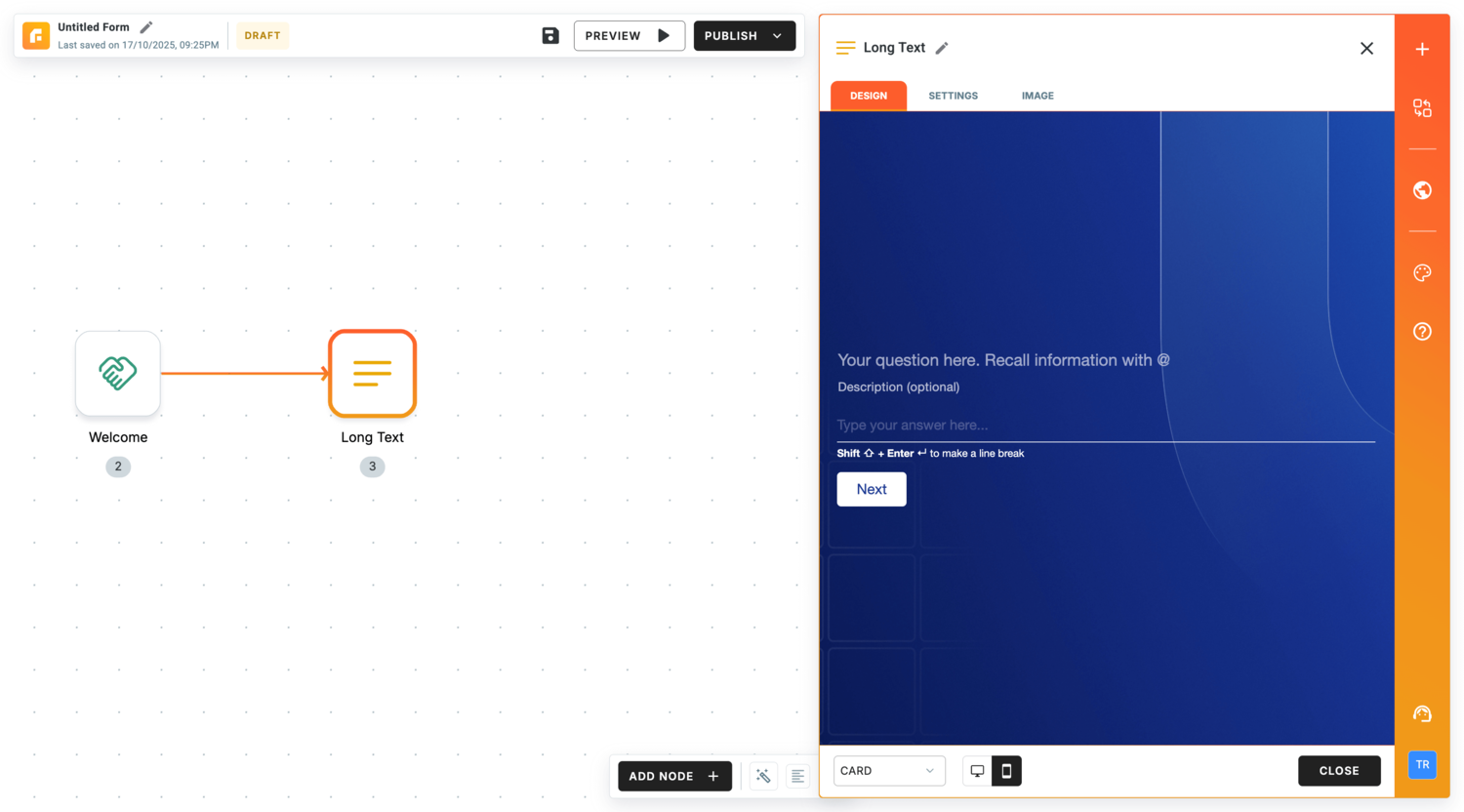
1. TinyForms: Turn every form into an action plus capture data, trigger workflows, and personalize experiences instantly.

API-powered and fully customizable: collect data, enrich it, and trigger actions seamlessly.
Real-time logic: Conditional questions that react instantly
Custom branding: Every pixel, exactly how you want it
Dynamic APIs: Connect APIs between questions for live validation
Workflow triggers: Automate tasks the moment forms are submitted
TinyForm1

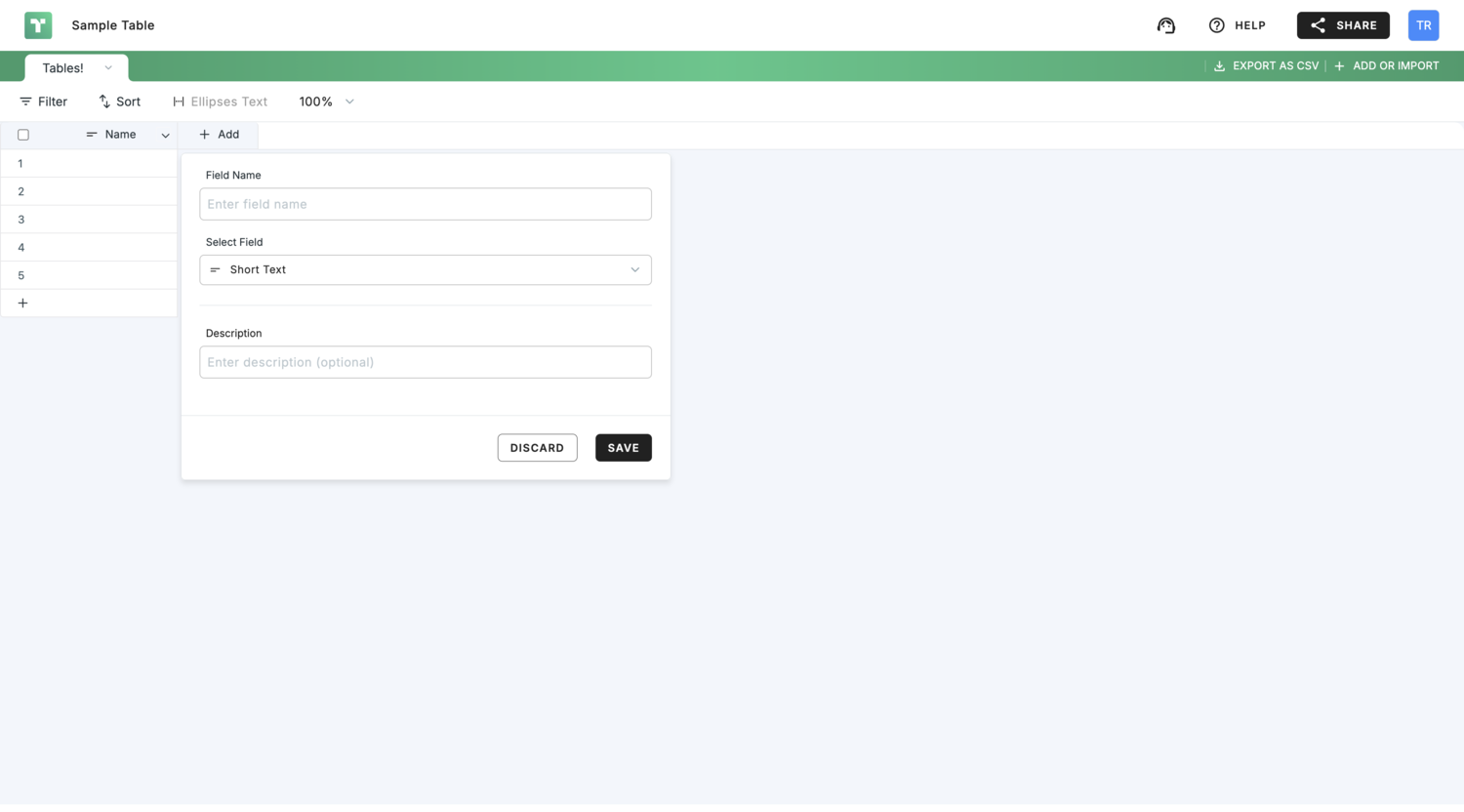
2. TinyTables: Store, enrich, and automate — all from one connected hub.

Live sync: Instantly updates across forms and workflows
Built-in enrichment: Auto-fill missing lead data using AI
Ideal customer discovery: Build your top prospect list with AI.
Native integrations: Works seamlessly with every TinyCommand tool
TinyTables

3. TinyWorkflows: Connect apps, add logic, and put your processes on autopilot.

Visual builder: Simple, powerful drag-and-drop canvas
Human in loop: Add approvals and checkpoints anywhere
AI assistance: Get smart workflow suggestions as you build
Multiple triggers: Start flows from TinyCommand, connected apps, or webhooks

TinyWorkflows

4. TinyEmails: Send personalised messages that feel human, right from your workflows.

AI-crafted messages: Personalised emails written for you
Data-driven timing: Sends at the perfect time, every time
Fully customizable: Design and brand with zero code
Seamless integration: Works natively across your automations

TinyEmails2 scaled

5. TinyAgents: Add specialized agents to learn your process & work at scale so you never need prompting twice.

Prebuilt expertise: Ready-to-use agents for instant results
Customizable logic: Configure tasks your way
Plug & Play: Drop into any workflow in seconds
Always connected: Syncs with your data, forms, and emails

TinyAgents2 scaled

Why Choose TinyCommand?

TinyCommand Benefits

  • Faster time-to-value: Launch forms, automations, and data flows in one place. No lengthy setup or multi-tool orchestration required.
  • Better lead-to-revenue conversion: Instant routing, AI qualification, and CRM updates shrink the gap between “lead captured” and “lead closed.”
  • Lower total cost of ownership: Replace multiple subscriptions and maintenance overhead with one unified stack.
  • Cleaner, more reliable data: A native data layer means fewer duplicates, consistent fields, and easier reporting without manual patchwork. Along with enrichment,
  • Scales with your processes: Start simple, add complexity as you grow without re-platforming or gluing together new tools.
  • Gives non-technical teams superpowers: Marketers and agencies can build and iterate automations without waiting on engineering sprints
  • Easier experimentation: Spin up new flows, adjust logic, and test ideas quickly then keep what works, kill what doesn’t.

Who Needs TinyCommand?

TinyCommand Who

TinyCommand can be used by the following along with their use-cases.

1) Sales Teams

  • Lead capture to CRM: Form fills auto‑qualify, route to the right rep, and create deals.
  • Speed to lead: Send a tailored first email and Slack alert in seconds.
  • Outbound at scale: Pull a lead list, enrich, and generate personalized messages.
  • Demo requests: Score interest, assign owner, send calendar link automatically.
  • Event leads: Scan or import lists and sync to CRM with instant follow‑up.

2) Startups and Small Business Owners

  • Contact and quote forms: Send replies, create tasks, and track status.
  • Bookings and appointments: Collect details, confirm by email, and add to calendar.
  • Simple CRM: Store customers in tables and track notes and next steps.
  • Invoices and forms: Collect info and trigger invoice or payment workflows with your tools.
  • Website leads: Route to email or Slack and log everything for later.

3) Marketing Agencies

  • Client intake: Collect goals, budget, and assets, then kick off project tasks.
  • Lead routing for clients: Capture leads and push to the client CRM with alerts.
  • Reporting updates: Pull campaign data and send clean weekly summaries.
  • Content pipeline: Brief intake, assign tasks, track approvals, and publish.
  • Feedback loops: Send NPS or review requests and flag clients who need attention.

4) Customer Support Teams

  • Support intake: Ask the right questions and route tickets by topic or priority.
  • AI answers: Handle common questions and escalate only the tricky ones.
  • Status updates: Send automatic confirmations and resolution notes.
  • Returns and exchanges: Approvals, labels, and refunds triggered in one flow.
  • CSAT and NPS: Survey, flag unhappy users, and create follow‑up tasks.

5) HR Teams

  • Job applications: Collect resumes, screen with forms, and auto‑email next steps.
  • Interview flow: Schedule interviews and notify panelists without back and forth.
  • Onboarding: Gather documents, assign tasks, and track completion.
  • PTO and approvals: Route requests to managers and update a shared calendar.
  • Policy acknowledgments: Send forms and record who signed and when.

6) Coaches and Trainers

  • Discovery calls: Intake form scores fit and sends a booking link.
  • Program applications: Review responses and enroll accepted clients automatically.
  • Session reminders: Confirm times and send reminders by email or SMS.
  • Homework and progress: Collect submissions and track milestones in tables.
  • Group cohorts: Manage signups, send schedules, and share materials on time.

Get lifetime access to TinyCommand today!

Demo: See TinyCommand in Action 👇

Plans and Features

Deal Terms

  • Lifetime access to TinyCommand
  • All future LTD Plan updates that map to your plan
  • You must activate your license within 60 days from the purchase date. RocketHub has no recourse or influence thereafter nor will engage on your behalf. You will need to work directly with the third party partner and its their sole decision to honor the license though they’re under no obligation. To avoid this loss, please redeem the license.
  • 30-day money-back guarantee, no matter the reason.  No exceptions thereafter

Features Included in All Plans

  • Unlimited Form Submissions
  • Common integrations
  • Payment gateway integrations
  • Location capture on form submission
  • Email builder
  • No-code workflow builder
  • Custom apps
  • Parallel workflow execution
  • Real-time execution monitoring
  • Operations usage flexibility
  • Custom variables
  • Workflow inputs
  • Folder/File permissions
  • Remove TinyCommand Branding

Tier 1 - Basic

Maps to Basic Plan
$ 59
00
One Time Purchase
  • All features above included
  • 10K Workflow Executions/month
  • 1 Workspace
  • 3 Users
  • 15 Days Execution History
  • 5MB File Upload Size

Tier 2 - Professional

Maps to Professional Plan
$ 149
00
One Time Purchase
  • All features above included
  • 50K Workflow Executions/month
  • 5 Workspaces
  • 3 Users
  • 30 Days Execution History
  • 10MB File Upload Size
Popular

Tier 3 - Agency

Maps to Professional Plan
$ 299
00
One Time Purchase
  • All features above included
  • 250K Workflow Executions/month
  • Unlimited Workspaces
  • 20 Users
  • 90 Days Execution History
  • 25MB File Upload Size
DISCLAIMER: Lifetime deals have risks just like any other software product or business that may fail, shutdown, need to pivot, or hit growth constraints. Do your research, read each deal’s terms and FAQ, ask questions, and put your tools to use after purchase.

Frequently Asked Questions

TinyCommand is an all-in-one automation tool. At its core, it helps you collect information, move it where it needs to go, and keep everything organized without juggling half a dozen different apps.

Here are a few examples of what that means in real work:

Forms that do more than collect data: build a job application form that checks details in real time or a lead form that instantly adds contacts to your CRM.

Workflows that run themselves: send follow-up emails, notify your team in Slack, or update project boards the moment a form is submitted.

Tables that stay alive: manage your data in Tiny Tables, which update automatically and can drive decisions in your workflows.

AI agents for busy work: set up an agent to answer routine emails, summarize feedback, or pull quick reports from your tables.

In short, if you’re trying to capture leads, onboard new hires, or streamline day-to-day ops, Tiny Command gives you one place to build it and keep it running.

Every form you build in TinyCommand can kick off an automated workflow the moment it’s submitted. No copy-paste, no waiting, the entire process connects in real time.

Here’s what happens under the hood:

Step 1: Collect; Someone fills out your form. It could be a lead form, a job application, or a support request.

Step 2: Store; The response is saved instantly in Tiny Tables, your live database.

Step 3: Trigger ; That new record triggers a workflow.

Step 4: Automate; The workflow runs your chosen actions: send an email, ping Slack, update a CRM, or branch into different paths with conditions and loops.

The result? A single form entry can set off a chain of actions that normally take hours of manual work.
Example: A new lead signs up → Tiny Tables captures their details → an auto-reply is sent → the lead is added to your CRM → your sales team gets a Slack alert. All in seconds, without writing code.

We know the information you collect and store through forms, workflows, and Tiny Tables is sensitive. Protecting that data is one of the most important things we do.

Here’s how Tiny Command keeps it secure:
Encryption everywhere: All data is protected with 256-bit AES, both at rest and in transit.

Access you control: Role-based permissions and audit logs let you decide who can view, edit, or run workflows and track every action.

In practice, everything you create in Tiny Command forms, data, and automations stays private to your team, every change is logged, and your data is always exportable when you need it.

If you’re using Zapier, Airtable, and/or Typeform, you already know the pain; three tools, three bills, and a lot of switching. Tiny Command pulls their core functions into one platform.

Here’s the quick breakdown:
Forms (Typeform → Tiny Forms)

Typeform gives you forms for collecting answers.

Tiny Forms go further: they can call APIs mid-form, validate responses in real time, and even trigger workflows the moment someone hits submit.

Automation (Zapier/Make → Tiny Workflows)

Zapier/Make connect apps, but every automation lives in a separate layer.

Tiny Workflows sit right inside your data with conditions, loops, and variables baked in, so one form can drive an entire process end to end.

Data (Google Sheets → Tiny Tables)

Airtable is great for storing records, but you often need extra tools to act on that data.

Tiny Tables are live databases tied directly to your forms and workflows, so every change updates across your automations instantly.

The result: instead of duct-taping three platforms together, you run forms, workflows, and data in one place faster setup, lower cost, and no tool fatigue.

Yes, TinyCommand lets you share workflows and collaborate with your team or the wider community.

Two ways to share:

With your team → Invite members to your project via the Members tab. Assign roles (Admin, Editor, Viewer) to control access.

With the community → Post your workflow in the Show & Tell section of the forum so others can learn from it.

This way, you can co-build workflows with teammates and also inspire other Tiny Command users by sharing your best setups.

After purchasing you will get a unique redemption code within your Order Confirmation email. It will also contain Redemption Instructions. Simply follow the instructions to redeem your purchase.

We offer a hassle-free 30-day money back guarantee. You can submit a refund request from your My Account dashboard once logged in – OR – you can email – [email protected] with details and we’ll process the refund as soon as possible. Refund requests AFTER the 30-day period will not be provided.

Yes. To the extent that new features do not have a per-use cost or API usage or substantial hardware or bandwidth cost to our company, they will be included in the respective plans. Our lifetime deal plans map to our standard plans on the website. Like any business, we may update pricing, limits, and/or names of our public plans in the future but will always honor the plans and limits as shown here for lifetime deal license holders.

At the time this deal was launched, RocketHub does not support changing or upgrading your plan after purchase.  LTD’s purchased via RocketHub also currently doesn’t support combining or stacking purchase codes.  We recommend purchasing the tier that your business can grow into.

Founder Details

1759909317224

Priyanka Gosai

Co-Founder

1609758944360

Apoorva Jain

Co-Founder

Quick Information

Founded: February 2025
Headquarters: Sheridan, Wyoming, USA
Company Size: 30
Product Stage: Startup
Financial Stage: Bootstrapped

Quick Links

Letter From the Founder

Hey Rocketeers,
We built Tiny Command because we were exhausted by the noise – endless tools, endless tabs, and no real flow. Every “automation” still needed a human babysitter.

So we built the platform we wished existed – one that connects forms, data, emails, and AI-driven workflows in a single, intelligent loop.
We didn’t just want to simplify automation; we wanted to humanize it. To make it feel like your team finally works in sync- one command, one place, no chaos.
With TinyForms to collect anything and trigger everything, TinyWorkflows to visually automate decisions, TinyTables to keep your data alive, TinyEmail to send and learn from every message, and TinyAgents -AI assistants you train to think inside your workflows – Tiny Command brings it all together.
We built Tiny Command to give people back their time, focus, and creative freedom. And we’re just getting started.
— Priyanka & Apoorva,
Co-founders, TinyCommand

Company Updates and FAQs

Before TinyCommand, I co-founded Instinct Innovations, a SaaS platform that digitized pharmacy retail operations across India which was later acquired by the country’s largest online pharmacy. I also co-founded Digihealth, simplifying billing and inventory for small retailers.

Across both, I led product teams – and saw how even great systems slow down when too many manual steps or disjointed tools get in the way. That’s the gap I’ve been focused on solving ever since.

The idea came from lived experience.
At Instinct and Digihealth, building internal automation always meant juggling multiple platforms or depending on developers. It was inefficient and expensive.

We wanted something simpler – a platform where teams could build workflows, connect data, and automate decisions without needing to code.
That’s how TinyCommand began.

Most teams use five or more tools just to run one process – one for forms, another for data, another for automation, and a few more for AI or email. It’s slow, expensive, and messy.

TinyCommand changes that. You can design your entire business process – from lead collection to automation and outreach – in one place, without writing code or switching tools.
It combines forms, workflows, tables, and AI agents into a single platform, so everything – from data capture to decision-making to execution – happens seamlessly inside TinyCommand.

No juggling multiple tools. Just one powerful command to run it all.

Lifetime Deal

(6 customer reviews)
You’re too late! This deal is no longer available. Sign up below to our deal updates and never miss an amazing deal again.

This field is for validation purposes and should be left unchanged.

6 reviews for TinyCommand

5 Star
100%
5 review(s)
4 Star
0%
0 review(s)
3 Star
0%
0 review(s)
2 Star
0%
0 review(s)
1 Star
0%
0 review(s)

Reviewed by 19 customer(s)

Sort by

  • Avatar

    Manny ♥

    All-In-One tool that shouldn't be missed!

    Anyone using integrators like Zapier, Activepieces, Albator, and more—this tool can streamline your workflow. I bought it yesterday and had a call with Ankit and Priyanka (co-founder of the app) to check if it’s ready to accommodate and migrate my workflow. I’m not very tech-savvy, but I do have some data background where I can manipulate data—I’m a fan of Airtable, Aitable, and similar tools—and architect it.

    My main objectives are to create personalized reminders, request reviews/testimonials, and follow up on them. I’m especially interested in the feature that scans client behavior in the data and can autonomously trigger follow-ups—for example, sending a reminder 30 days after detecting that a client hasn’t visited my shop. It can send personalized reminders to people who have booked via Wbiztool, depending on the data.

    I was surprised by the capabilities of these tools. It’s not quite at Airtable’s level yet, but I feel it’s getting there soon. Imagine having an AI agent that constantly monitors your data tables and sends casual follow-ups or nurtures your clients based on triggers like 30 days, 3 months, or 6 months since the last meeting—just to nurture your clients and stop afterward.

    For this Black Friday, I highly recommend this app if you love the tech side of automation. Also, note that they have direct integration with Wbiztool.

    December 2, 2025
    Verified Review

    Share on

    Helpful?

  • Avatar

    1Sam Digital

    Very powerful

    I recently purchased the Professional Tier 2 plan for TinyCommand, and while I initially faced some communication delays due to time zone differences and recent Cloudflare interruptions (which affected many services, as reported in the news), the follow-up from the TinyCommand team was nothing short of excellent.

    Their detailed overview and hands-on assistance truly impressed me. They showed me features I hadn’t realized this powerful software could do. The team was very patient and informative, highlighting how TinyCommand integrates forms, workflows, tables, emails, and AI agents to boost customer engagement and enrich data.

    What excites me even more are the upcoming updates they shared:

    – Payment Gateway Integrations with PayPal and Square, which will be great for US users.
    – Expanded Export Options, including PDF and printable formats for form responses coming next week.
    – Enhanced control over form identities and appearances.

    This software is a real game changer for entrepreneurs, small business owners, teachers, students—anyone looking for a professional yet user-friendly platform. I’m extremely happy with my purchase and highly recommend grabbing it while it’s available!

    November 22, 2025
    Verified Review

    Share on

    Helpful?

    • Avatar

      Ankit Solanki

      November 17, 2025

      Hi Sam,
      We’re truly sorry for the frustration you’ve experienced, and we appreciate you sharing this detailed feedback. The branding-removal feature you mentioned is a recent addition and is now fully live on the platform. Payment gateway integrations are also available, and Stripe is currently supported.

      Regarding the redirection after form completion, this is a configurable setting—you can change it to any URL you prefer.
      We are sorry to hear about the delay in our support response. Our team aims to respond within the stated timeline, and we regret that we did not meet that expectation in your case. We’ve reached out to you by email with guidance on all of these items and would appreciate your reply so we can resolve the remaining concerns quickly.

  • Avatar

    Yannick Daudelin

    Awesome platform

    I bought the biggest tier a couple of days ago and couldn’t like it more. I think the integration between forms and workflows is a genius idea.

    I barely touched all the options available and I already feel like I had the deal of a lifetime buying this.

    The possibilities that TinyCommand offer are endless. You can make almost anything you want with this.

    I’m excited to see this platform develops as it’s already head and shoulders above the competition for me.

    Of course, there’s not many native integrations yet for workflows, but if you can work with webhooks and APIs, it’s not a big deal. I guess the native integrations will come in the future.

    Congrats to the team that made TinyCommand! And if you are on the fence, don’t even blink… don’t miss this deal.

    November 21, 2025
    Verified Review

    Share on

    Helpful?

  • Avatar

    Henrik Tholstrup

    Seem there's a bug so can't post a review (In short super satisfyed : ) )

    Seem there’s a bug so can’t post a review (In short super satisfyed : ) )

    October 28, 2025
    Verified Review

    Share on

    Helpful?

  • Avatar

    Henrik Tholstrup

    So just bought tier 2

    Have not yet gotten to deploy stuff, but the UX & backend look very well laid out & superb overview. Really comes through as well thought out & implemented functionality.
    So far so good : )

    And oh: My own Q’s reg. credits (for tier 2 Professional plan):

    Credits Monthly allocation

    Current Plan: RH Professional
    Resets in 31 days
    Execution Credits
    0 50,000
    0.0% Used50,000Remaining

    So look also super good on this front 🙂

    So glad I got on board!

    October 28, 2025
    Verified Review

    Share on

    Helpful?

Only logged in customers who have purchased this product may leave a review.

Got a Question? Ask here.


Avatar
Customer
Zachary Trimble
11 months 2 days ago

I jumped into a quick trial account. I don’t see webhooks available as a trigger/ That’s a basic feature I expect with any automation tool. Will you be adding webhooks? What does your roadmap look like? Your integration list is very small.

Avatar
Product Owner
Ankit Solanki
11 months 1 day ago

Webhooks are available as a trigger in the Workflows section. In a workflow, while configuring the trigger, go to Select Trigger and choose Webhook Trigger.

Our roadmap is available at https://tables.tinycommand.com/?q=eyJ3IjoidEpTYXdUNm5WIiwicGEiOiIiLCJhIjoiN2M4ZTJiYjgtNDE0My00ZjFlLWFiNWEtNjVmOTIzMDM3NDFkIiwidCI6ImNtZ3RqeGEzbjBncHVwaTBuN3FremRic2MiLCJ2IjoiY21ndGp4YTRhMGdwdnBpMG5yaHEzem4ydiJ9

We’re adding new integrations every week and prioritizing those requested by users on the platform. Please let us know if you need any specific integrations built, and we’ll make sure to take them up.

Avatar
Guest
john mattox
11 months 2 days ago

Can you share a list of your available integrations?

Avatar
Product Owner
Ankit Solanki
11 months 1 day ago

We’re adding new integrations every week and prioritizing those requested by users on the platform. Please let us know if you need any specific integrations built, and we’ll make sure to take them up.

Avatar
Guest
Nuno
11 months 2 days ago

Tier 3’s name is “Agency” but maps to “Pro” plan? Was it a typo or is it intended?
Why is there no documentation for the apps, specifically workflows?
Thanks

Avatar
Product Owner
Ankit Solanki
11 months 22 hours ago

Hi Nuno –
Thanks for reaching out – there was a link to the old pricing page – we have replaced the same and you should not face this issue any more.
While we are in the process of uploading the documentation, you can refer to our youtube channel on how to use the product at https://www.youtube.com/@TinyCommand
Let us know if you need help with anything by writing to us at [email protected].

Avatar
Product Owner
Ankit Solanki
10 months 28 days ago

Hi Nuno, its a typo. It maps to the Agency plan on our website. We are in the process of releasing documentation – in the meantime you can get an idea on how to use the workflows from your youtube videos.

Avatar
Product Owner
Ankit Solanki
10 months 28 days ago
Avatar
Customer
vinod pahilwani
11 months 1 day ago

unable to redeem, ive created account first and then tried to redeem, reached support through chat but support team is not responding

Avatar
Customer
Just Sturgis
11 months 13 hours ago

Can we remove the “made with 🩶on tinycommand” badge? Will CNAME and whitelabel be coming for the forms? And will there ever be a client portal feature, if so, will there be CNAME and whitelabel for that as well?

Avatar
Customer
Just Sturgis
11 months 13 hours ago

Can we remove the “Made with 🩶on tinycommand” badge on forms? I know this is an LTD, but still, it is a PAID plan.
Will we get CNAME (custom URL) and whitelabeling for forms?
Are there plans for a client portal feature and if so will we get CNAME and whitelabel for that as well?

Avatar
Guest
K
10 months 30 days ago

How many credits per month for each plans?

Avatar
Guest
Curtis
10 months 30 days ago

I removed the made with tiny command branding, but everytime the form loads up it’s showing tiny command logo and name, so branding isn’t really removed…will this be fixed?

Avatar
Product Owner
Ankit Solanki
10 months 28 days ago

Thanks for bringing this to our notice. This will be fixed.

Avatar
Guest
Luis M
10 months 29 days ago

Hello! I tested it and had some questions about nodes I couldn’t find and functions, especially in forms.
Nodes:
– Image choice (a visual version of multiple choice)
– Matrix (This allows respondents to input data in a grid-like format)
– Opinion scale (This lets respondents give a rating on a numbered scale from zero to ten or another number)
– Slider (input field that allows respondents to select any number that falls between the slider’s range)

Functions:
– Cname (custom domain)
– Google Tag Manager integration (track conversions)
– Google Analytics integration (track conversions)
– Meta Pixel integration (track conversions)
– UTM and ID tracking (save UTM, GCLID, and FBCLID parameters)
– Set up conversion parameters (decide when a form submission counts as a conversion and when to send conversion events to platforms).
– Add UTMs to links
– Score Quiz
– Score Tiers
– Calculator

I concentrated primarily on conversion strategies, recognizing that form tools excel as lead capture mechanisms in certain niches. However, to enhance their effectiveness and optimize campaigns, they require essential conversion data.

I would appreciate your response to these points and your perspective on incorporating the suggestions I provided into the roadmap.

Avatar
Product Owner
Ankit Solanki
10 months 28 days ago

Thank you so much for sharing this detailed feedback — it’s incredibly valuable and aligns well with our upcoming roadmap.
On the form nodes front, we’ll be rolling out Image Picker, Opinion Scale, and Slider in the next iteration. These should cover most of the interactive response types you mentioned and significantly enhance the form-building experience.
On the functionality and tracking side — including CNAME (custom domain), Google Tag Manager, Google Analytics, Meta Pixel, UTM & ID tracking, and conversion parameter setup — these are already planned for our next release cycle. This will give you end-to-end conversion visibility and make the platform more powerful for lead capture and performance tracking.
We’ll also evaluate Score Quiz, Score Tiers, and Calculator shortly after to ensure they fit smoothly into the workflow and maintain a clean, intuitive UX.
Thanks again for taking the time to outline these needs so clearly. Your input is helping shape a product that’s sharper for real marketing use cases.

Avatar
Guest
Henrik
10 months 28 days ago

Looks so so so cool 🙂
– Ready to buy a tier 2, but need to see your good answers to some good Q’s raised by others below.
But so far it seems like high quality & value 🙂

Henik

Avatar
Customer
Henrik Tholstrup
10 months 27 days ago

Looks super interesting 🙂

Close to getting the tier 2,
– Looking forward to some good answers to the good quetions beneath 🙂

Kind regars
Henrik

Avatar
Customer
Henrik Tholstrup
10 months 27 days ago

Oh, seems I double-posted – but do really look forward to getting started 🙂

Oen Q thou, it seems that on your pricing page, there’s a given number of credits allocated per month, ex., on the Professional plan 50,000 credits.

How does the ltd work?
Q1: Ex. tier 2? – is it free (no credits needed) or i there a similar “new number of credits per month”?
Q2: If so, how many for (tier 2)?
Q3: Please illustrate a couple of use cases – what is the cost in credits for each?

Kind regads
Henrik
– a comming user 😉

Avatar
Customer
Henrik Tholstrup
10 months 27 days ago

So to answer my own Q’s
reg. Credits / Monthly allocation

I just bought tier 2 and can see this:

Current Plan: RH-Professional
Resets in 31 days
Execution Credits
0 / 50,000
0.0% Used50,000Remaining

So look also super good on this front 🙂

So glad I got on board!
🙂
Henrik

Avatar
Customer
Henrik Tholstrup
10 months 27 days ago

There is a bug, so can’t do a review :-/
– Super satisfied 🙂 – 5 stars!

Seems there’s a bug – deleting the text/ post – so no review option :-/

Avatar
Guest
Sushil kedia
10 months 21 days ago

Cname

Avatar
Guest
Sushil kedia
10 months 21 days ago

Will the forms be embeddable on my wordpress site?

Do i get a custon cname for a subdomain i can create on my webaite?

Will my website visitors/users sray on my site or they will get directed to tinyforms site?

Do you have a wordpress plugin?

Can i see your roadmap and prigress history somewhere?

Avatar
Product Owner
Ankit Solanki
10 months 7 days ago

Hi Sushil, The forms can be embedded on any website.
We are currently working on the CNAME feature and it will be live shortly.
You can configure where you want to redirect the users from the TinyForms post form submission.
Our roadmap is available at https://tables.tinycommand.com/?q=eyJ3IjoidEpTYXdUNm5WIiwicGEiOiIiLCJhIjoiN2M4ZTJiYjgtNDE0My00ZjFlLWFiNWEtNjVmOTIzMDM3NDFkIiwidCI6ImNtZ3RqeGEzbjBncHVwaTBuN3FremRic2MiLCJ2IjoiY21ndGp4YTRhMGdwdnBpMG5yaHEzem4ydiJ9

Avatar
Customer
Helmi Friday
10 months 14 days ago

Mind to share list on integrations for the tiny agent?

Avatar
Product Owner
Ankit Solanki
10 months 7 days ago

Hi Helmi, could you elaborate on your question a little more? Do you mean LLM integrations for the AI agents?

Avatar
Customer
Zbigniew Grochowski
10 months 9 days ago

could you let us know if it would be possible to design a form that displays multiple questions on one page instead of presenting one question per slide? Such an approach might be more convenient for users, allowing them to view and answer everything in one place.

Avatar
Product Owner
Ankit Solanki
10 months 7 days ago

Thanks for this feedback. This is on our roadmap. It will be live in a few days.

Avatar
Guest
Dani
9 months 22 days ago

I have complex forms currently in Paperform. Are your forms able to redirect to another form, pipe answers, or use tokens instead of url strings? If not, it’s not a deal breaker, I can keep Paperform, but then the question is: would I still be able to utilize command, tables, and agent?

Avatar
Product Owner
Ankit Solanki
9 months 21 days ago

Hi Dani, Yes you can redirect to another form from one form, pipe answers(not only from the form but also fetch data from tables/third party apps) in between the apps. Token-based prefilling is not supported yet, but it is on our roadmap.
And yes, even if you choose to keep Paperform for certain complex use cases, you can still use TinyCommand Workflows, Tables, and AI Agents without any limitation.

Avatar
Customer
kevin s
9 months 22 days ago

If we hit credit limits can we buy more.

Is there BYOK integrations available for agents?

Avatar
Product Owner
Ankit Solanki
9 months 21 days ago

Hi Kevin, Yes, if you hit your credit limits you can purchase additional credits whenever needed.
And regarding BYOK, we do support bring your own key for ChatGPT. If you choose to use your own API key, AI nodes will not consume AI credits and will instead be charged as normal workflow nodes.

Avatar
Guest
Cyril
9 months 21 days ago

SEOPilot Chrome Extension:
I see this comes with my purchase of TinyCommand.
Is it a separate product, or is it related to TinyCommand?
After installing and using the supplied license key, it says “2 articles per month”. Is that correct, or did I miss a step?
Please explain about the relationship between the 2 products.

Avatar
Product Owner
Ankit Solanki
9 months 21 days ago

Hi Cyril,
SEOPilot is a completely separate product and not related to TinyCommand.
If you run into any issues or have questions specifically about TinyCommand, feel free to reach out and we will be happy to help.

Avatar
Guest
Sunny
9 months 20 days ago

Possible to fetch image from Linkedin while enriching personal data ? Also what is the ETA to get formulas?