

Looktara transforms how you create professional photos. Upload 15+ photos or selfies of yourself, wait 10 minutes while Looktara trains a private AI model, then generate unlimited professional images instantly. No studios. No photographers. No scheduling nightmares.
Create images for every platform and purpose.
You get ultra-realistic photos that look professionally shot, not algorithm-generated. Over 100,000 users have created 18 million photos on Looktara and trusted by professionals at companies like Intuit and Topmate.
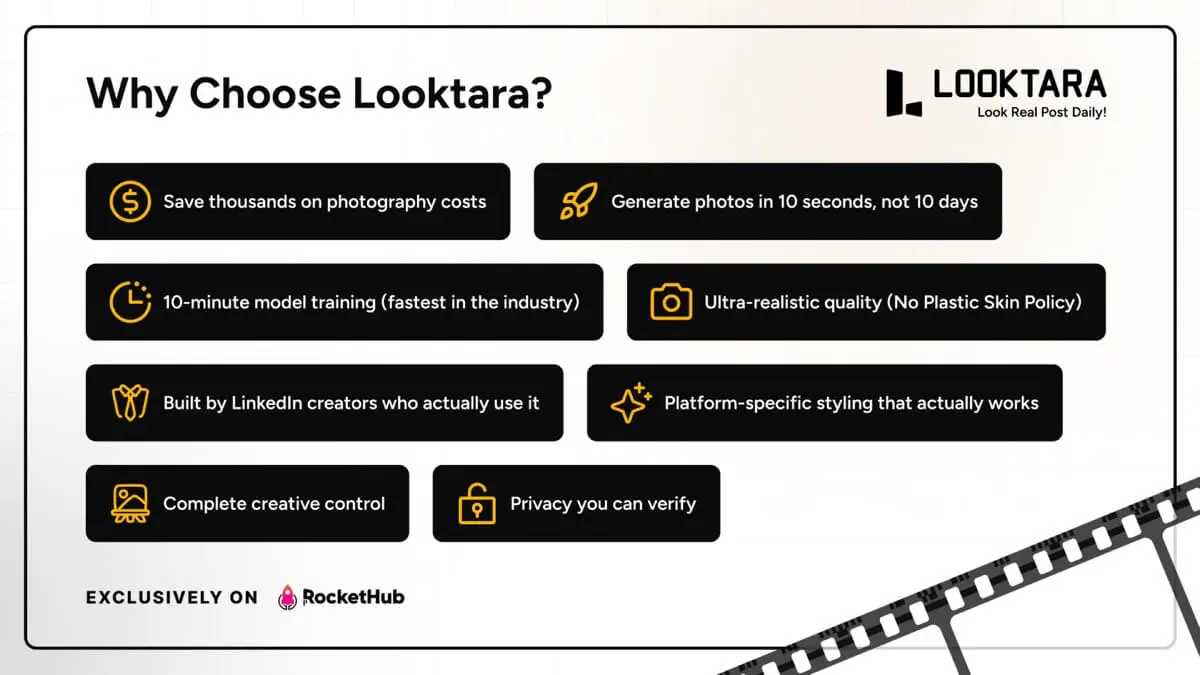
Save thousands on photography costs – Professional photoshoots cost $300 to $2,000 each. Looktara eliminates recurring photography expenses completely after one-time setup.
Generate photos in 10 seconds, not 10 days – No scheduling photographers, traveling to studios, or waiting weeks for edits. Create professional images the moment you need them.
10-minute model training (fastest in the industry) – Competitors make you wait 30 minutes to 2 hours. Looktara trains your model in 10 minutes flat, every plan, every time.
Ultra-realistic quality without AI Looks – Looktara has a No Plastic Skin Policy. After generation, an AI quality check analyzes the output. If it looks fake or AI-generated, Looktara automatically re-runs it.
Built by LinkedIn creators who post daily. The founding team includes 8+ active creators with over 10 million combined reach. They built Looktara to solve their own problems (constantly needing fresh photos to post consistently), then opened it to you.
Platform-specific styling that actually works – Different platforms need different vibes. Generate LinkedIn professional, Instagram lifestyle, or other profile or social images optimized for each context.
Complete creative control – Not limited to fixed poses or body templates. Describe any outfit, location, mood, or setting and generate it. Upload reference images to match any style you want.
Privacy you can verify – GDPR compliant, encrypted processing, private models never shared, deletion on request. Your face is your identity, not our training data.
Get lifetime access to Looktara today!


03 Customer(s) recommended this item

When doing the onboarding it asks you your body size. Based on the images provided, I chose the one that looks most like me but in reality I should have chosen the one a size smaller. Now all of the images that it generates, while they are fairly good quality, I look like I’m about 25-30 pounds heavier than what I truly am.
Unfortunately, you can’t retrain the model after it’s done and I can’t use any of the images that it generates so I’ll have to request a refund.
I think the onboarding process for the training, especially when selecting the body size should be a little more descriptive for bigger people. I know I’m a big guy, but this just make me look even bigger.
Another thing to note, all of the images that I uploaded for the training I was wearing my glasses because I’m pretty blind without them. In the images generated, I guess it thinks I’m wearing contacts because only one had glasses on and that is the one that I would say you can tell is the most AI generated. The glasses look like they’re plopped on their and the piece of paper I’m holding in my hand has a bunch of gibberish written on it.
2 stars because the images are decent quality, but they are noticeably AI generated and for the fact that I can’t retrain the model. I know their’s compute costs associated, but a one-time retrain option would be nice. For these reasons I will have to request a refund.

After dedicating some time to properly warming up the model, Looktara has proven to be an excellent tool that generates incredibly natural photos as per the sample scene or given prompt. The Monkey feature adds a unique touch, allowing for creative brand and logo insertion and promotion.
The enthusiasm of the founder is commendable, as they are proactive in implementing positive changes and resolving existing issues. The feature that transforms images into videos is currently in the queue, but rest assured, the generated images are of 5-star quality. In fact, when used in combination with other tools like Kling/Veo, the resulting videos turned out to be nothing short of fantastic.
A few suggestions, such as model aging and the introduction of different workspaces with limited access to team members for confidentiality purposes, have been put forward and are under consideration. The generosity displayed regarding credits is praiseworthy, and any issues that arise are promptly addressed by the founder directly, ensuring a swift resolution.
Looktara is undoubtedly a superb choice for anyone seeking an AI photo generation tool that offers authentic and high-quality results.

I’ve been using Looktara for a week and it has outperformed every other image generation platform I’ve tested. I pushed it hard with a lot of experimentation and it kept delivering. The GUI is simple to work with, the results are consistently strong, and the model training process is on a completely different level. It keeps improving with every run and that alone says a lot about the direction of the product.
Support has been solid. I had several conversations with Kriss and every small issue I raised was handled. I also offered suggestions on ways to improve the workflow and they were actually welcomed. That tells me this isn’t a company set in its ways. They listen. They build. They refine.
As a user and as a member, I’m confident they’ll keep improving the product. I plan to use Looktara as part of my visual branding work moving forward because it’s reliable, fast, and clearly getting better with time.

Loving the simplicity of the interface, superb image creations and cool image tools to make this a full functioning Headshots Studio with all the tools for daily needs for creating images. They have a feature where you can place a person/photo with a couple of well known celebs – the photos do look like it’s real and fun to use for self and clients. The Thumbnail creator is very sleek and smart – Just add the topic/title and get solid recommendations for generating the thumbnail instantly.
The Monkey feature let’s you get super creative with spectacular results.
I love how far they have come and can’t wait to see the product evolve.
Glad I got Tier 4
Wishlist:
1. Multiple Models in one image (similar to photo with Celebrity functionality for our own models would be a good start)
2. Ability to retrain models if client needs change
3. Ability to purchase extra models with credits
Only logged in customers who have purchased this product may leave a review.
Got a Question? Ask here.
Is the number of models/personas resetting each month?
No, its normal to ask this question as all other similar tools are made on same technology where model trained is a guesswork but Looktara’s model when trained with mentioned requirements will be the best . Due to this they have heavy GPU processing as Looktara is built on 100% in-house technology. To summarize, the models don’t reset every month but more slots can be bought.
Same question: Are the Models / Personas replaceable? Cause I am considering tier 4 for my team, but what if my team changes – can I used one of the 10 slots for a new person?
Yes, as replied above, 10 slots once used will be considered exhausted. You can buy more if needed.
Can you change the 30 images uploaded if you are not liking the results or want to change/update the image?
You wouldn’t be required to do this as Looktara has 100% success rate in quality of models when photo requirements are followed. Looktara is made with 100% in-house tech where every model is a quality one.
what if you were changing the type of image you wanted? Or could you just do that using the same photos?
Hey, You can create any type of your image.
What is the costs of additional models?
Hello. I am taking your product for a spin and have some inputs:
1. The “No Plastic Skin Policy” needs adjustment, one of four has the AI look
2. The photo packs are brilliant, but be aware you are literally placed in their clothing without severely modifying the prompt which may lead to other issues.
3. The photo packs do not seem to adjust to the standard 1:1 ratio and the photo comes out squeezed or stretched. I recommend applying the correct ration when returned to the prompt after selection.
4. One UI issue is that you have to scroll a little to select a different ratio at times. The dropbox goes over a photo and confuses the UI. It is repeatable, but not consistent.
5. I cannot tell if the enhanced prompt is working or not as it is greyed out. Right now, I got to another photo service, enter my prompt, have it enhance it and then return.
6. Photo packs like the “White Board Strategy” will not look the same and words are similar to most models and services…not there yet.
7. Plenty of AI hallucinations. Coffee cup merged into the body, extra fingers, one foot larger than the other, etc. I recommend you find a way to fine-tune your model before you offer a photo pack.
Inquiry:
#1. I understand that additional models are $20. How much are extra credits?
#2. I have a use case where a client would be able to use this service from their dashboard. Is there a way to embed this or program it on my backend?
Overall, the photo packs are brilliant, but I am not sure if this is ready to be integrated into my agency stack with confidence.
Cheers.