
Run every client project without the chaos
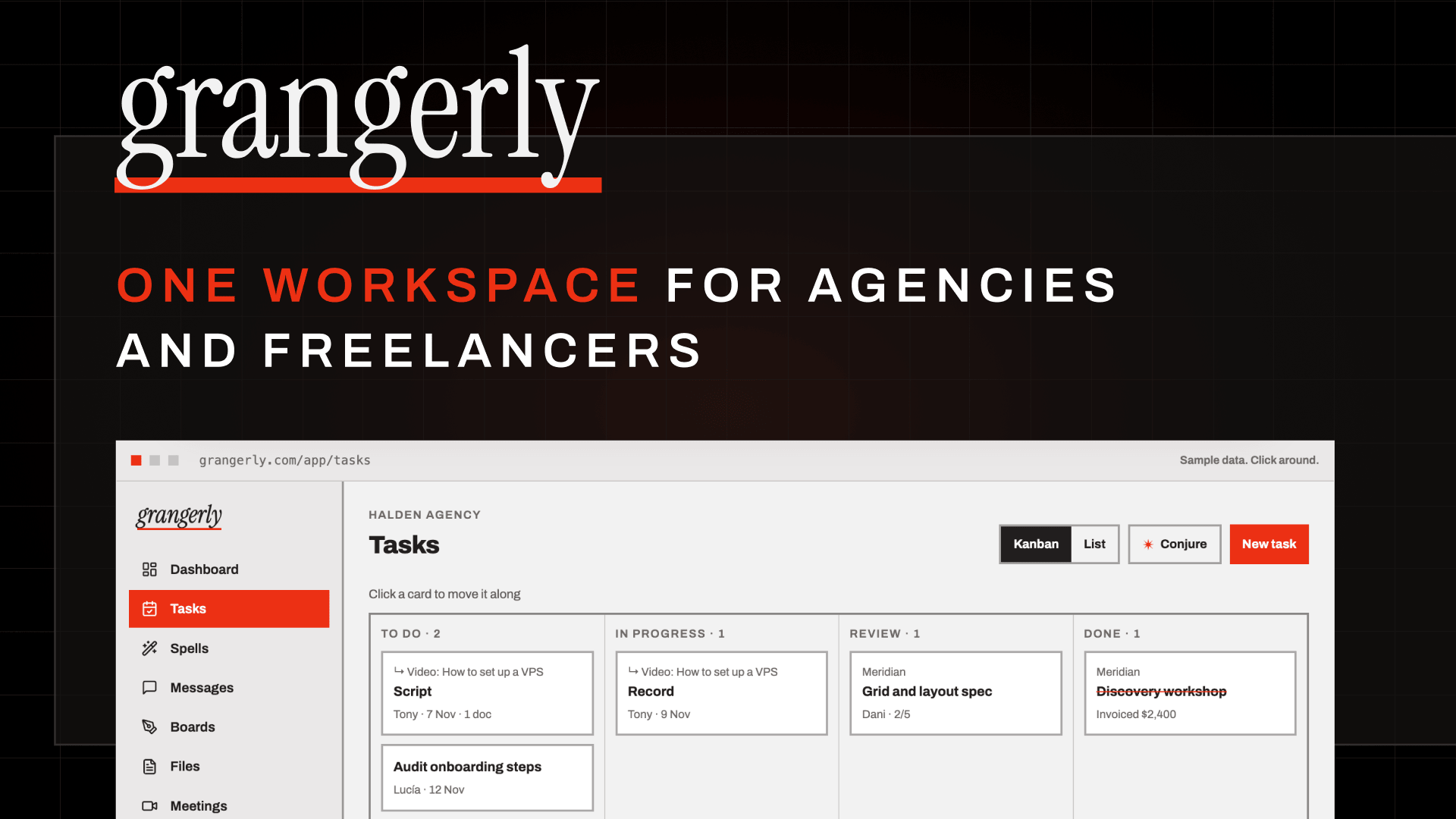
Running an agency or freelance business?
Landing clients is the fun part. Keeping track of their work is where it gets messy.
How do you:
🤔 Keep client chats in one place?
🤔 Reuse the same project setup?
🤔 Show clients what’s done?
Get paid on time?
🤔 Catch deadlines before they slip?
You could patch together six tools. But you’d pay for all of them. And none of them talk to each other.
Enter Grangerly.
It’s one workspace for agencies and freelancers. Tasks, chat, docs, invoices and a client portal all live in one place. AI tells you what needs you each day.
Run tasks on a board, list or calendar. Save any workflow once and rerun it with a name and a date.
Granger checks every project and flags late invoices, clashing deadlines and tasks nobody owns. In plain words.
Every client and project gets its own channel. Turn any message or meeting note into a task.
Docs, sheets, databases and a whiteboard that never runs out of space. Link any of them to a task.
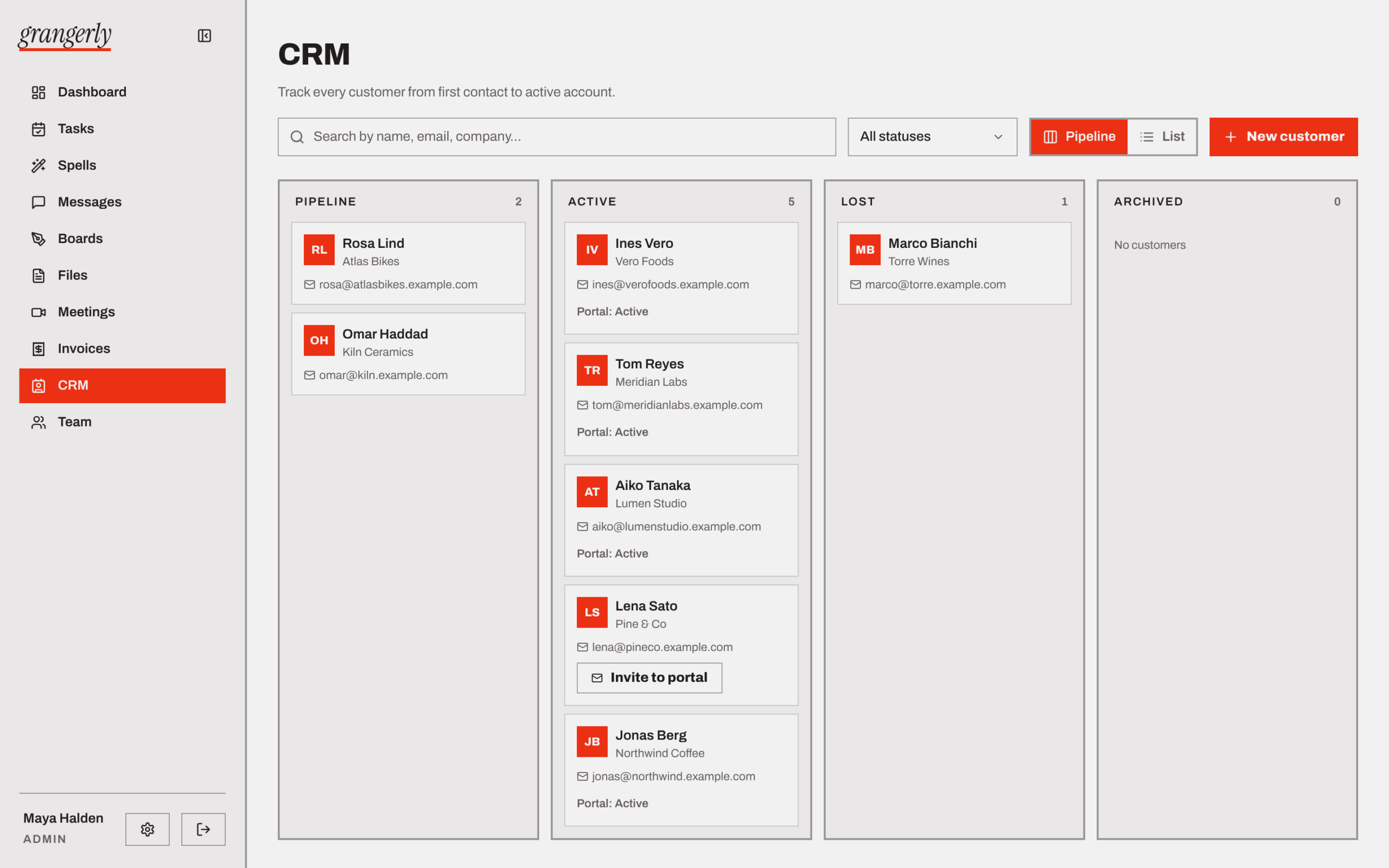
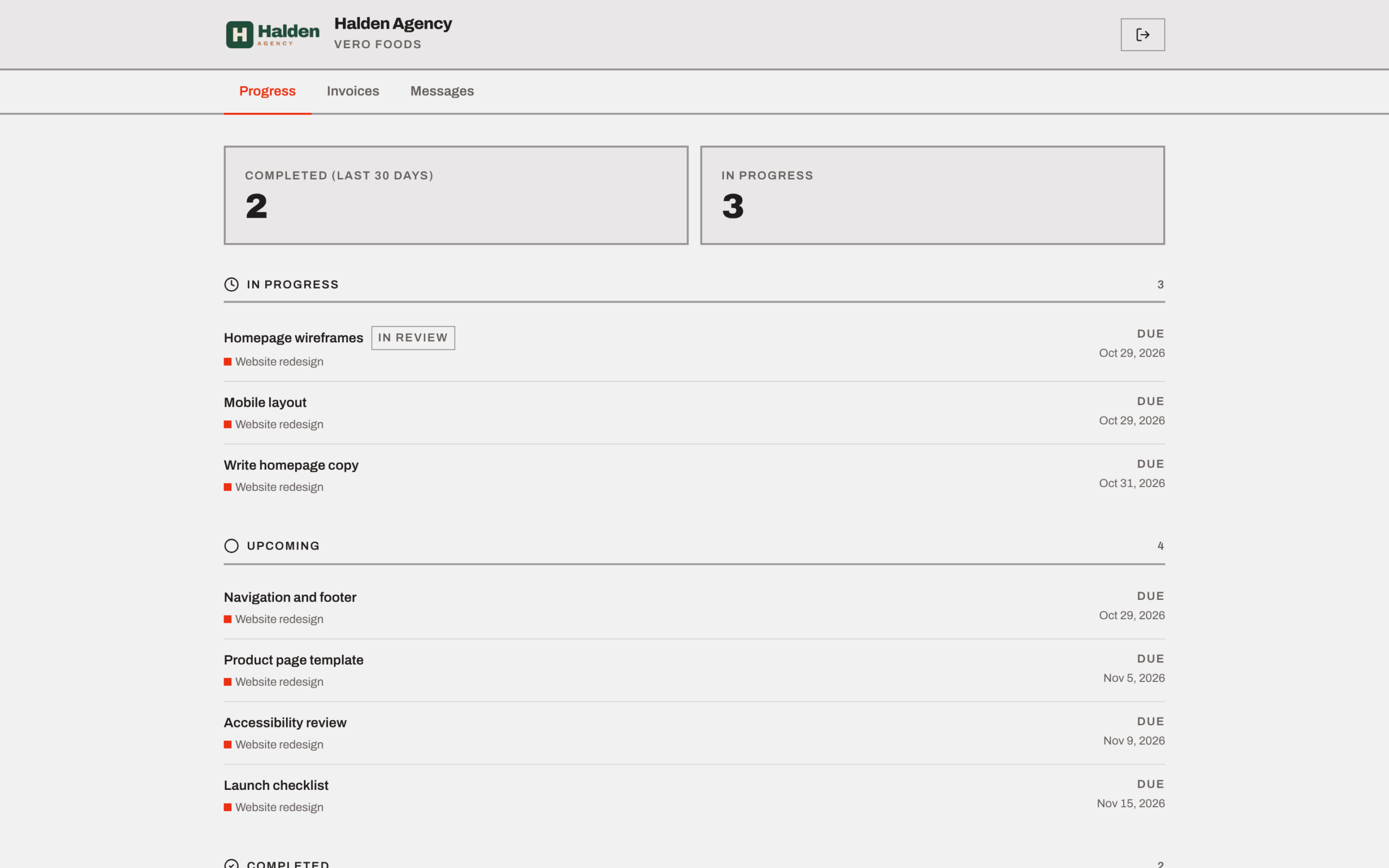
Track clients in a simple pipeline. Give them a branded login where they can see progress and pay by card.
Invite everyone at no cost, keep clients where they belong, and let Claude do the busywork.
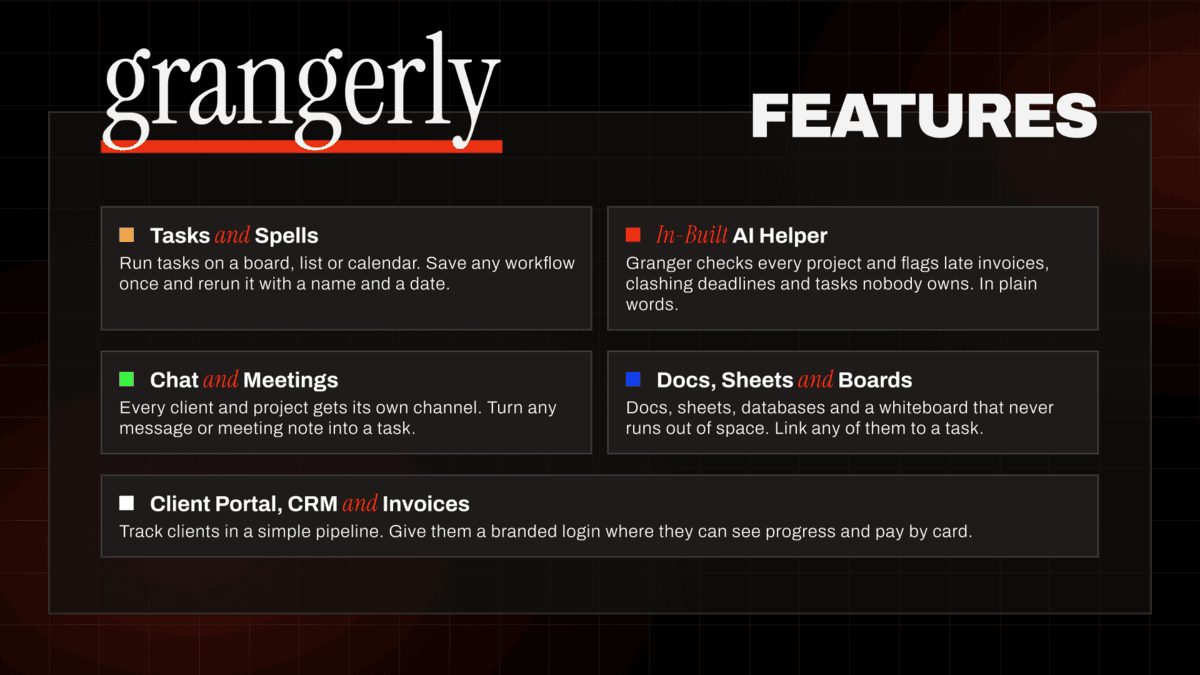
Grangerly puts tasks, chat, docs, invoices and a client portal in one place that flags what matters.
Getting started with Grangerly is pretty easy:
1.Setup your space and Invite the team: Everyone in the team gets their own board, chat and files from day one.
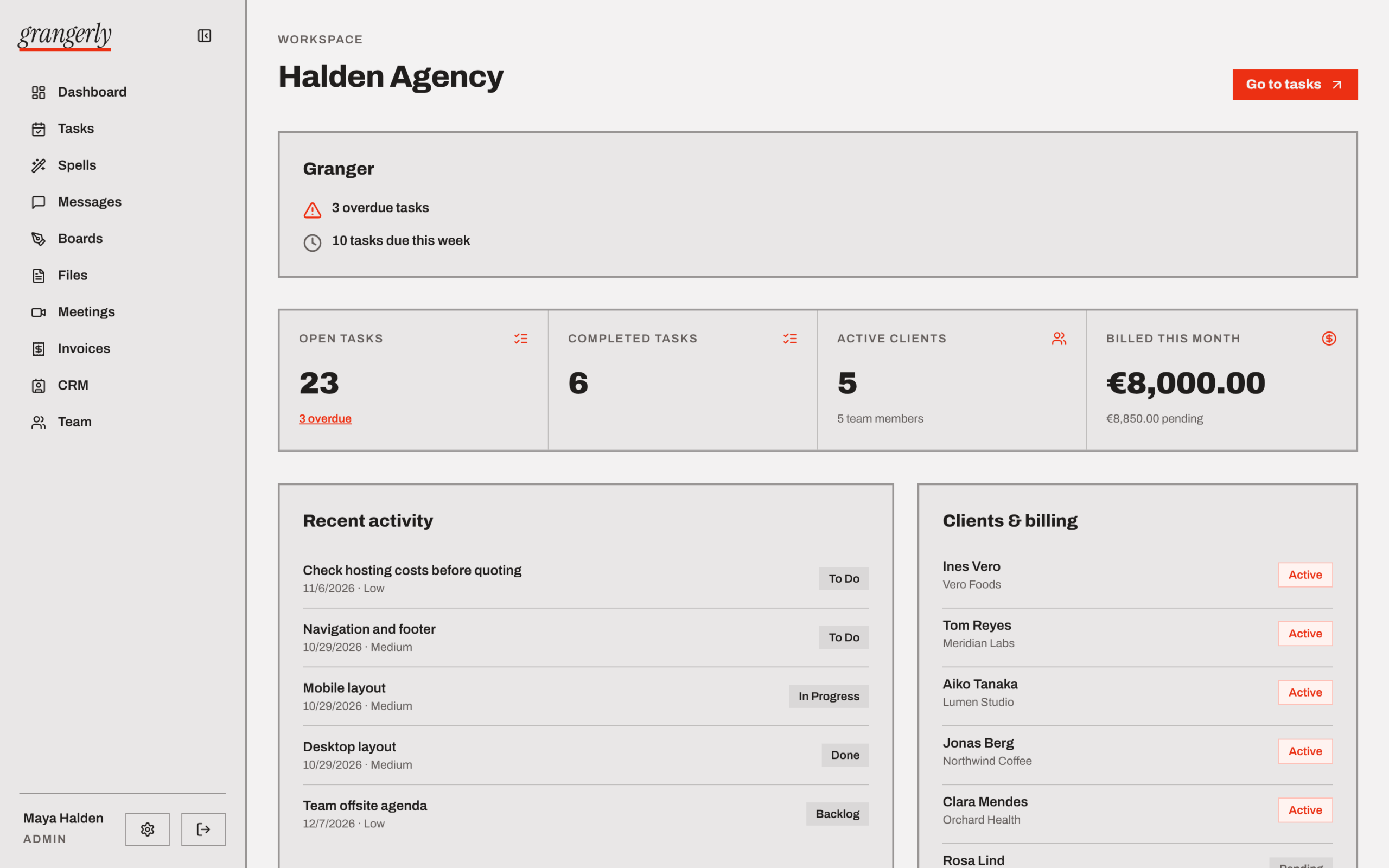
2.Add Clients & Projects:
3. Work, conjure, invoice: Run projects, conjure repeat workflows and send the invoice when it ships. Or ask Claude to do it for you.

Deal Terms
Features Included in All Plans
Only your branded portal, with three tabs: Progress (task titles, projects and dates), Invoices and Messages. They never see your internal tasks, files, boards, meetings, CRM, other clients or team emails.
Yes. A project shows in the portal only if it’s set to “Show in portal.” You can hide any single task with “Hide from client,” and that hides its subtasks too.
Yes. It records meetings and gives you a transcript, a short summary and action items you can turn into tasks. Summaries and action items need your own OpenAI or Anthropic API key.
Yes. You can import CSV, JSON, Excel, Word (.docx), PDF and Markdown, and export to Word, PDF, Markdown, CSV or Excel. Formatting and formulas don’t fully carry over.
Yes, with “Spells.” These are saved templates that create a main task and its steps, each with an assignee and a due date worked out from the final deadline.
Stripe is the only provider the help center lists. Once you connect your own Stripe account, clients can pay invoices by card from their portal, and the money goes straight to your Stripe account. If you’re paid another way, like bank transfer or cash, you mark the invoice Paid by hand.
After purchasing you will get a unique redemption code within your Order Confirmation email. It will also contain Redemption Instructions. Simply follow the instructions to redeem your purchase.
Here’s an example Order screenshot for where to look.
REFUNDS – RocketHub offers a simple 30-day money-back guarantee from the date of purchase.
You can request a refund by:
a) Submitting a request from your My Account dashboard, or
b) Emailing [email protected] with your order details and product to refund.
Note the following:
SUPPORT – RocketHub is a marketplace and does not operate or manage the products sold.
After the refund window, all product-related questions must be directed to and handled by the deal partner. RocketHub does not provide ongoing product support or act as an intermediary.
A) Included Features
Features available at the time of purchase are included in your plan. Future features are generally included as long as they do not introduce significant ongoing costs (such as per-use, AI LLM, 3rd party API, infrastructure, or bandwidth expenses).
B) AI, Credits & Variable Costs
This product uses third-party AI models (text, image, and/or video), and costs may vary over time. Credit usage and generation limits may be adjusted based on underlying provider pricing, which is outside the partner’s control. Current credit usage is outlined in the plans and/or FAQ at the time of purchase.
C) Paid Add-ons
If new features introduce meaningful ongoing costs, partners may offer them as optional paid add-ons (one-time or recurring), often at discounted rates for lifetime deal customers. This helps ensure long-term sustainability of the product.
D) Plan Mapping & Changes
Lifetime deal plans are based on the partner’s current plan structure at the time of purchase. Partners may update plan names, pricing, or limits over time. Your LTD will continue to reflect the value and limits defined at purchase, but does not guarantee access to all future highest-tier offerings.
E) Feature Changes or Removal
Products evolve. Features may be improved, replaced, or removed entirely based on business needs. If a feature is removed, it will be removed for all users (not just LTD holders). Previously included features will not be converted into paid add-ons unless they are fundamentally reworked or replaced.
F) Fair Use & Limits
All plans are subject to reasonable usage limits to prevent abuse and ensure platform stability. This may include rate limits, throttling, or other safeguards.
G) Third-Party Integrations
Integrations and external services depend on third-party providers. Changes to those providers (pricing, APIs, or availability) may impact or remove certain integrations.
H) Long-Term Availability
Lifetime deals provide access for the lifetime of the product, not a guaranteed duration. If the company is acquired, pivots significantly, or shuts down, services may be discontinued.
Final Note to Buyers
We encourage you to make your purchase decision based on the product’s current capabilities and assume the roadmap, if any, is a possibility not a guarantee. If you have questions, please ask before purchasing.
At the time this deal was launched, RocketHub does not support changing or upgrading your plan after purchase. LTD’s purchased via RocketHub also currently doesn’t support combining or stacking purchase codes. We recommend purchasing the tier that your business can grow into.
Founded: August 2026
Headquarters: Alicante, Spain
Company Size: 1–10 employees
Product Stage: Startup
Financial Stage: Bootstrapped
Hello Rocketeers!
I’m Tony. I’ve spent 10+ years building websites and apps for clients, and for most of that time I ran my agency on eight tools that never talked to each other.
Tasks in one, chat in another, invoices somewhere else, and clients chasing me by email. So my dad Dennis, a developer for 40 years, and I built Grangerly: tasks, chat, docs, boards, meetings, CRM, invoices and a branded client portal in one tab, plus an AI agent connector so Claude or ChatGPT can work in it with you.
We’re a two person team and we answer every email ourselves.
2026 – Alicante, Spain
Tony: 10+ years as a web designer and developer. Runs ratio.dev, a WordPress and Bubble development agency, with Dennis, building sites and apps for clients. Previously worked at Awesome Motive. Runs 3Dcine.es as a side project. Dennis: 40 years building software, including at IBM and Baleària.
We ran our own agency on a stack of separate tools: a task app, team chat, video calls, docs, invoicing and long email threads with clients. That meant six monthly bills, constant copy and paste between tools, and clients who never had one place to see how their project was going. We built Grangerly for ourselves first: one workspace where the work, the conversations and the money live together, with a client portal so clients stop asking for updates.
Small agencies and freelancers pay for and juggle five to eight tools to run client work. Grangerly replaces them with one workspace: tasks with Kanban, calendar and list views and subtasks; Spells, reusable workflows that create every task of a process in one click; team chat and a channel per client; docs, sheets and databases; whiteboards; video meetings with transcription; a CRM; invoices paid by Stripe link; and a branded client portal where each client sees progress, invoices and their own chat. Granger flags overdue invoices, unowned tasks and clashing deadlines, and the MCP connector lets AI agents like Claude and ChatGPT work inside Grangerly.
There are no reviews yet.
Only logged in customers who have purchased this product may leave a review.


Got a Question? Ask here.